Compra 2 Xtand Orion Pro y obtén un descuento de 20%

Blog
Índice
Xtand Orion Pro uses an adjustable fit rather than a conventional small, medium, and large sizing system.
According to the current official specifications, it is designed for a compatible leg circumference of 34–45 cm (approximately 13.4–17.7 inches). To check your fit, measure around your leg at the point where Orion will be worn—approximately 3–5 cm below the kneecap.
The correct fit should feel secure and comfortable without restricting natural knee movement.
Respuesta rápida: Measure your leg 3–5 cm below the kneecap. If the circumference is between 34 and 45 cm, it falls within Orion Pro’s current standard fit range. Do not force the strap to fit outside that range.
Xtand Orion Size Chart
| Measurement at the wearing point | Fit guidance |
| Below 34 cm / 13.4 in | Outside the current standard fit range; contact Xtand Support before ordering |
| 34–45 cm / 13.4–17.7 in | Within the current standard compatible range |
| Above 45 cm / 17.7 in | Do not force the fit; contact Xtand Support about available options |
Xtand’s product page states that an Extended Strap may be available for users who need additional length. However, an extension should not automatically be assumed to make every measurement compatible. Contact Xtand Support to confirm suitability before use.
How to Measure for Xtand Orion
Use a flexible measuring tape and measure directly around the leg at the intended wearing position.
Step 1: Stand in a Relaxed Position
Stand naturally with your weight evenly distributed.
Keep the leg relaxed and the knee straight without locking it. Avoid flexing the calf or tightening the surrounding muscles while measuring.
Step 2: Find the Wearing Point
Locate the bottom edge of your kneecap.
Move approximately 3–5 cm, or about 1.2–2 inches, below the kneecap. This is the recommended position for wearing Xtand Orion.
Do not measure around the center of the kneecap or high on the thigh.
Step 3: Wrap the Measuring Tape Around Your Leg
Wrap the tape around the full circumference of your leg at the wearing point.
Make sure the tape:
- Lies flat against the skin
- Remains level around the leg
- Does not twist
- Feels snug without compressing the skin
- Is not placed over bulky clothing
If you plan to wear Orion over a thin clothing layer for skin sensitivity, confirm that the layer does not interfere with fit or sensor operation.
Step 4: Record the Measurement
Read the measurement where the end of the tape meets the numbered section.
Record the result in centimeters or inches:
- 34–45 cm
- Approximately 13.4–17.7 inches
Measure twice to confirm the result. If you plan to wear Orion on either knee, measure both legs because their circumferences may differ slightly.
Step 5: Compare Your Result With the Fit Range
If your measurement falls within 34–45 cm, it is within Orion Pro’s current standard compatible range.
If your measurement is outside that range, do not pull, stretch, or overtighten the product to make it fit. Contact Xtand Support for current sizing or extension options.
No Measuring Tape? Use a String
If you do not have a flexible measuring tape:
- Wrap a non-stretch string around the wearing point.
- Mark where the ends meet.
- Lay the string flat against a ruler.
- Record the measurement.
- Repeat the process to confirm the result.
Do not use elastic cord because stretching can produce an inaccurate measurement.
What Should the Correct Fit Feel Like?
A properly fitted Xtand Orion should feel:
- Secure
- Snug but not tight
- Flat against the leg
- Stable during normal movement
- Comfortable through knee flexion and extension
After fastening the strap, you should be able to insert one finger underneath it without force.
The strap should sit approximately 3–5 cm below the kneecap, with the Xtand logo facing forward and the AI computing module positioned on the outer side of the knee. These placement instructions are specified in the current official Orion Pro wearing guide.
A correct fit should allow you to:
- Walk normally
- Bend and straighten your knee
- Perform a shallow squat
- Move without pinching or rubbing
- Use the product without numbness or tingling
Sizing and adjustment work together. Being within the stated measurement range does not remove the need to position and adjust the strap correctly.
Signs Xtand Orion May Be Too Tight
The goal is not to make the strap as tight as possible. Higher pressure and greater tightness do not necessarily provide a better support experience.
Stop, power off, and remove or readjust Orion if you experience:
- Numbness or tingling
- Coldness below the strap
- Skin discoloration
- Increasing pain
- Swelling
- Throbbing
- Burning
- Loss of sensation
- Restricted movement
If these symptoms do not resolve promptly after removing the product, seek medical attention.
What to do
- Stop your activity in a safe location.
- Power off the device.
- Wait for the pressure to release.
- Loosen and reposition the strap.
- Begin again at the lowest suitable pressure.
- Recheck comfort after several minutes.
Signs Xtand Orion May Be Too Loose
Orion may be too loose or incorrectly positioned if it:
- Slides down the leg
- Rotates around the knee
- Twists during movement
- Requires frequent readjustment
- Leaves the AI module in the wrong position
- Cannot remain 3–5 cm below the kneecap
A loose fit can result from incorrect positioning, an unsecured buckle, moisture, loose clothing, or a measurement outside the compatible range.
What to do
Check that:
- Your measurement falls within 34–45 cm.
- The strap is positioned at the correct height.
- The logo faces forward.
- The AI module sits on the outer side of the knee.
- The strap lies flat.
- The buckle is fully secured.
- Your skin or underlayer is clean and dry.
- The strap and buckle are not worn or damaged.
Do not continue exercising if Orion slips, rotates, loosens, or unexpectedly changes how you move.
Perform a Movement Check Before Exercise
A strap that feels secure while standing may fit differently once the knee begins moving.
Before starting a full workout:
- Walk several steps.
- Bend and straighten your knee.
- Perform a shallow, controlled squat.
- Check the strap and module again.
- Begin your activity at low intensity.
Confirm that:
| Fit checkpoint | What to look for |
| Strap position | Remains 3–5 cm below the kneecap |
| AI module | Stays on the outer side of the knee |
| Tightness | Secure without excessive pressure |
| Movement | Natural and unrestricted |
| Stability | No excessive slipping, twisting, or rotation |
| Comfort | No pain, numbness, tingling, or burning |
During your first few uses, inspect your skin after approximately 10–15 minutes and again after removing the product.
Standard Strap vs. Extended Strap
Xtand Orion Pro currently uses an adjustable standard strap rather than multiple conventional apparel sizes.
| Option | Intended purpose |
| Standard adjustable strap | Current specified fit range of 34–45 cm |
| Correa extendida | Provides additional strap length for some users, subject to current Xtand guidance |
If your measurement exceeds the standard range, confirm compatibility with Xtand before purchasing or using an extension. Extra strap length does not by itself confirm correct sensor placement, pressure distribution, or safe fit.
Why the Right Fit Matters
Xtand Orion uses sensors and software to interpret movement patterns and adjust pneumatic compression. According to Xtand, actual recognition and support performance can vary based on factors including:
- Fit
- User anatomy
- Activity
- Clothing
- Environmental conditions
- Firmware
- Correct use
The device should therefore be fitted according to the current instructions rather than selected according to clothing size or appearance.
A properly adjusted fit is intended to help the strap maintain contact and position during active movement. It does not guarantee that the device will never slip, misclassify an activity, lose pressure, or require readjustment.
Quick Size and Fit Checklist
Before using Xtand Orion, confirm:
- ✓ You measured around the leg at the wearing point.
- ✓ Your measurement is within the current 34–45 cm range.
- ✓ The strap sits 3–5 cm below the kneecap.
- ✓ The Xtand logo faces forward.
- ✓ The AI module is on the outer side of the knee.
- ✓ The strap lies flat without twisting.
- ✓ One finger fits underneath without force.
- ✓ Your knee moves naturally.
- ✓ The strap does not excessively slip or rotate.
- ✓ You begin at the lowest suitable pressure.
Preguntas frecuentes
What size is Xtand Orion?
Xtand Orion Pro currently uses an adjustable fit. The official specifications list a compatible leg circumference of 34–45 cm, or approximately 13.4–17.7 inches.
Where should I measure my leg?
Measure around the intended wearing point, approximately 3–5 cm below the kneecap. Keep the tape flat and snug without compressing the skin.
Does Xtand Orion come in small, medium, and large?
The current product information describes an adjustable one-size design rather than a standard small, medium, and large size system. Check the live product page before ordering because product options may change.
What if my measurement is between sizes?
Orion Pro currently has a stated circumference range rather than multiple overlapping sizes. If your measurement is close to or outside either limit, contact Xtand Support before purchasing.
What if my leg circumference is larger than 45 cm?
Do not force the standard strap to fit. Xtand states that an Extended Strap may be available, but you should confirm current compatibility with Xtand Support.
How tight should Xtand Orion feel?
It should feel snug but not tight. You should be able to place one finger beneath the strap without forcing it.
Can I measure over clothing?
Measure directly against the skin whenever possible. Bulky or loose clothing can produce an inaccurate result. A thin, clean layer may be used for sensitive skin only if it does not interfere with fit or sensor operation.
Can I use Xtand Orion if it slips?
Stop your activity and refit the product. Confirm the size, placement, buckle, and dryness of the contact surface. Do not continue using it if the strap, buckle, valve, or AI module is damaged.
Measure. Fit. Adjust. Move.
The right Xtand Orion fit begins with an accurate measurement.
Measure around your leg at the wearing point, compare the result with the current 34–45 cm fit range, and adjust the strap until it feels secure without excessive pressure.
Measure → Fit → Adjust → Test → Move
Read the Official User Manual and Safety Guide →
Xtand Orion Pro is a consumer wearable support product, not a medical device. It cannot diagnose, treat, cure, or prevent injuries, diseases, or joint conditions. Follow the latest official instructions and consult a qualified healthcare professional if you have persistent pain, impaired circulation or sensation, a recent injury or surgery, or another condition that may be affected by compression or exercise.
Publicaciones recientes
- Auto Mode vs Manual Mode on Xtand Orion
 Quick answer: Choose Auto Mode when you want Orion to adjust its support response as your movement changes. Choose Manual
 - Xtand Orion Size Guide
 Quick answer: Measure your leg 3–5 cm below the kneecap. If the circumference is between 34 and 45 cm, it
 - How to Wear Xtand Orion Correctly
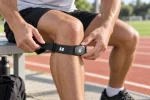 Quick fit: 3–5 cm below the kneecap, logo forward, AI module on the outer side, buckle secure, and one finger
 - Why Your Knee Strap Slips During Exercise—and How to Fix It
 Activity Why the strap may shift Running Repeated flexion and extension Squatting Deeper knee bending changes leg shape Lunging Split
 - Knee Support for Squats, Lunges, and Strength Training
 The squat is one of the most widely used lower-body exercises.As you descend, your knees and hips flex while your
Comentarios recientes
No hay comentarios que mostrar.